Mastering Notes Schedule: How to Use This Handwritten Font Without Sacrificing Professionalism
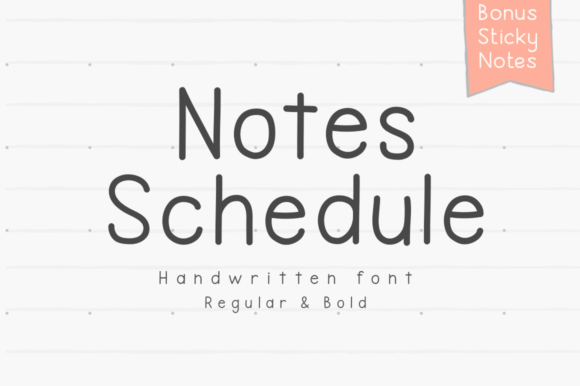
In the world of digital design, the allure of a handwritten font is undeniable. It promises personality, warmth, and a break from the rigid geometry of standard typefaces. Among the many options available, Notes Schedule has carved out a distinct niche. It presents itself as a simple, handwritten note-taking font, designed to mimic the organic flow of pen on paper. For creators ranging from digital planners and educators to marketers and bloggers, it offers a way to inject a human touch into digital projects.
However, the simplicity of a font like Notes Schedule can be deceptive. While it is marketed for everything from blog posts to branding and digital sticky notes, using it effectively requires more than just a quick download and drag-and-drop. Many creators fall into common traps that make their work look amateurish or, worse, unreadable. The goal here is not to discourage you from using this charming typeface, but to help you harness its potential correctly, ensuring your projects look intentional and polished rather than messy.
The "Handwritten" Illusion: Why Context is King
The most significant misunderstanding regarding fonts like Notes Schedule is the belief that "handwritten" equals "casual and messy." While the font is designed to look like natural handwriting, professional design relies on consistency and legibility. A common mistake is using this font for body text in long-form content, such as blog posts or reports. While Notes Schedule is legible at larger sizes, the human eye struggles to read connected or semi-connected script styles over long paragraphs. This leads to reader fatigue and a higher bounce rate on websites.
A better approach is to use Notes Schedule for emphasis rather than volume. It excels in headers, pull quotes, or short, impactful statements on social media graphics. For example, if you are a freelancer creating a proposal, you might use a standard sans-serif font for the terms and conditions but use Notes Schedule for the "Thank You" note at the end. This maintains professionalism while adding a personal touch that feels genuine rather than overwhelming.
Digital Planning: The Sticky Note Trap
The market for digital planning is booming, and Notes Schedule is often bundled with digital sticky notes and planner inserts. This is where many hobbyists and productivity enthusiasts run into trouble. The assumption is that because the font looks like handwriting, it will automatically make digital notes feel authentic. However, a frequent oversight is failing to check the font’s rendering on different devices.
Digital planning apps like GoodNotes or Notability handle vector data differently. If the font weight of Notes Schedule is too thin, it may become nearly invisible on high-resolution screens or when printed. Conversely, if the spacing (kerning) is too tight, the letters will clump together, turning your to-do list into an unreadable scribble.
Before committing to Notes Schedule for a large planner project, test it on the specific device you intend to use. Write out a full schedule for a busy day. If you struggle to distinguish between an "a" and an "o" at a glance, or if the lines feel cramped, you need to adjust the font size or leading. A practical tip is to increase the line height by 1.5 times the standard setting when using handwritten fonts. This "breathing room" mimics real lined paper and prevents the digital page from looking cluttered.
Branding and Legibility: The "Cool" Factor vs. Function
Entrepreneurs and small business owners are often drawn to Notes Schedule for branding because it feels approachable and artisanal. It can work beautifully for a bakery, a boutique consultancy, or a lifestyle coach. The mistake, however, arises when the font is used for critical information where clarity is non-negotiable.
Imagine a business card where the phone number or the website URL is set in Notes Schedule. If a potential client cannot instantly read the contact details, you have lost a lead. Handwritten fonts often stylize numbers and punctuation in ways that deviate from standard expectations. The number '5' might look like an 'S', or a zero might look like a loose circle.
The corrective advice here is to adopt a hybrid typography strategy. Use Notes Schedule for your logo or your tagline to establish the vibe. Then, pair it with a highly legible, neutral font (like Roboto, Open Sans, or Lato) for all functional text. This pairing creates a hierarchy that guides the viewer's eye: the handwritten font draws them in, and the clean font delivers the message. This ensures your branding feels personal without sacrificing the utility of your communication.
Evaluating Quality: What to Look For Before You Download
Not all fonts are created equal. When you find Notes Schedule online, it is easy to get excited about the preview image and hit "download" immediately. However, experienced designers know to check the technical specifications of a font before integrating it into a workflow.
One overlooked detail is the character set. Does Notes Schedule include special characters, accented letters, or extended punctuation? If you are an educator creating materials for a diverse classroom, or a marketer targeting an international audience, missing diacritics (like accents or umlauts) can make your content look broken or insensitive.
Furthermore, check for OpenType features. High-quality handwritten fonts often include alternate characters or ligatures—subtle variations in letterforms that prevent the text from looking too repetitive. Real handwriting is never uniform; the same letter "e" looks different each time you write it. If Notes Schedule includes these features, you can toggle them to create a more organic, authentic look. If it doesn't, you may find that repeating letters create an unnatural, robotic pattern that undermines the "handwritten" aesthetic.
Avoiding the "Gimmick" Aesthetic
Finally, there is a psychological aspect to using decorative fonts. When a creator discovers a font like Notes Schedule, there is a temptation to use it everywhere because it feels novel. This often leads to "design fatigue" for the audience. If every slide in your presentation, every header on your blog, and every social media post uses the same handwritten style, it loses its impact and begins to look like a design gimmick.
To avoid this, treat Notes Schedule as a spice, not the main ingredient. Use it to highlight key moments—perhaps a "Save the Date" on an invitation, a "Weekly Menu" header, or a signature at the end of an email newsletter. By restricting its use, you preserve its special quality. It signals to your audience that this particular piece of information is different, personal, or important.
In summary, Notes Schedule is a versatile tool that bridges the gap between digital precision and human warmth. By respecting the rules of legibility, testing for technical quality, and using the font with strategic restraint, you can elevate your projects from simple drafts to professional, polished creations. Whether you are planning your week or branding your business, the right application of this font makes all the difference.